
Connect it, step by step
Step 1 · Install Agent Island
macOS — Homebrew, or grab the DMG from the latest release:
brew install tristan666666/tap/agentislandStep 2 · Make sure Claude Code is signed in
Claude Code writes its session records and keychain credential the first time you sign in. If you already run claude in a terminal or use Claude Desktop, this step is done.
claudeStep 3 · Check Providers
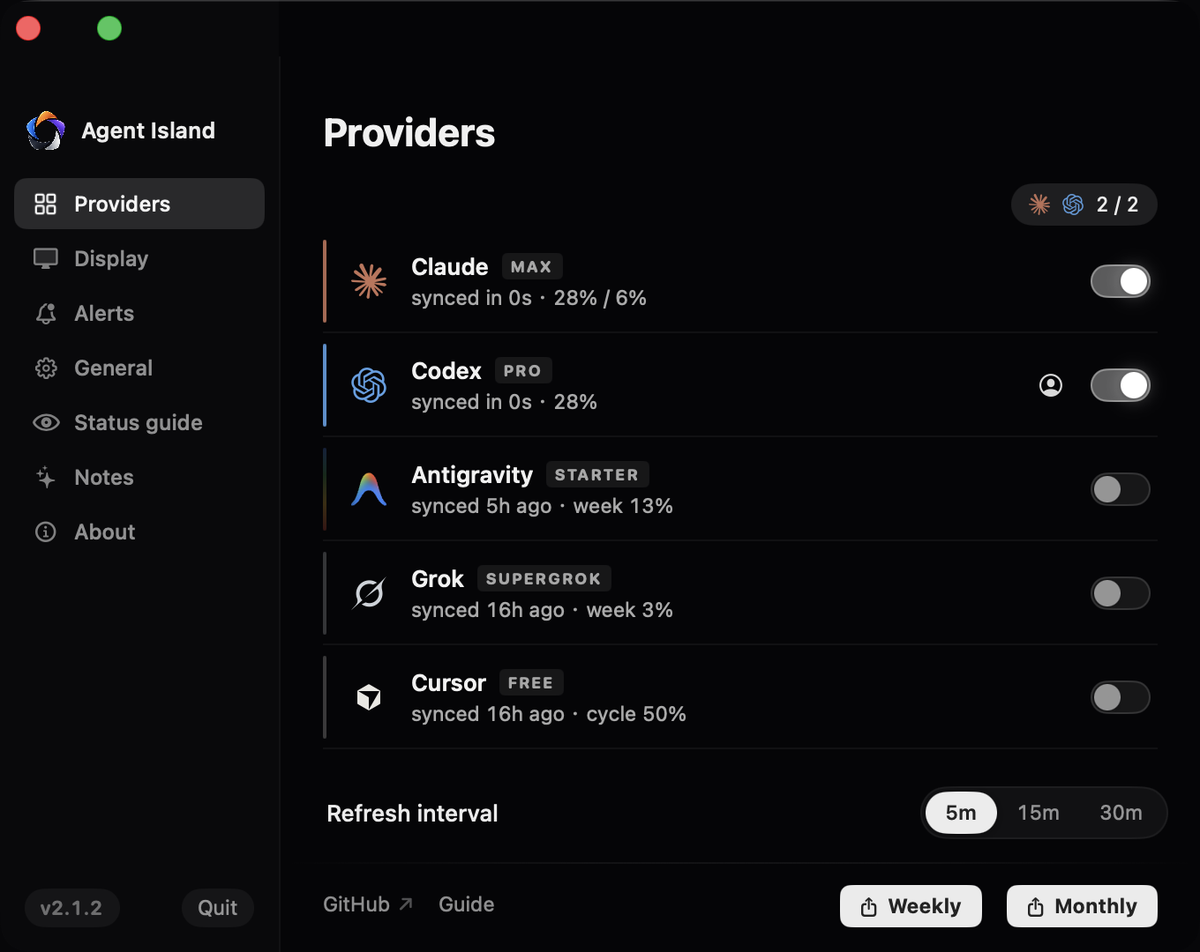
Open Settings → Providers. A provider with no detected local sign-in gets no slot and no row; one you hid earlier is re-enabled here. Five data sources can be on while the island keeps two focused top-bar slots.
Step 4 · Read it on the island
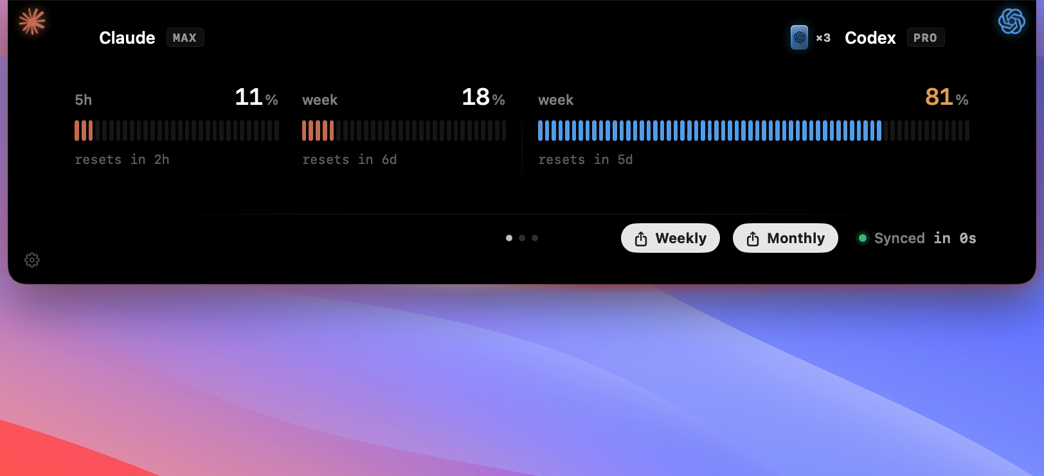
The Claude side of the island carries two quota windows — the 5-hour window and the weekly window — each with a used percentage and reset countdown. The expanded panel adds the local token ledger and estimated API value.

Step 5 · Verify with one real run
Send one real prompt in any Claude Code session. The Claude percentage moves on the next sync, and the session shows a working state while it generates.
If it does not work
Run claude /login once. Tokens from older sign-ins miss a scope the usage endpoint now requires.
The account needs one real request first; a fresh login with no usage reads as empty rather than faking a number.
1. Read quota as a reset window
On macOS, Agent Island can display the Claude Code 5-hour and weekly usage windows reported for the signed-in account. Each tile combines a used percentage with its reset time. The display can also flip to percentage remaining without changing the underlying value.
This view answers a planning question: can you keep working inside the current window? It does not explain which model produced the usage, how many cached tokens were read, or what a subscription invoice will contain.
2. Build the token ledger from local events
Token activity comes from the coding sessions already stored on the machine. A reliable ledger reads provider-specific event fields, keeps input, output, cache creation, and cache reads distinct, and attributes an event to its own timestamp rather than the time the file happened to be scanned.
It also needs replay protection. Session files can be scanned again after a restart or watcher refresh. Counting the same usage event twice makes a polished report less trustworthy than no report at all. Stable event identity and bounded local scans are part of the measurement system, not implementation trivia.
3. Label API value as an estimate
Agent Island can multiply token categories by an embedded, dated model-price snapshot. For a priced model, the calculation is:
estimated API value =
  input tokens × input rate
  + output tokens × output rate
  + cache creation tokens × cache-write rate
  + cache read tokens × cache-read rate
The result is an estimated API value. It is not a claim that Claude Code billed those tokens at API rates, and it is not guaranteed to match a provider dashboard. Subscription terms, included usage, unknown model identifiers, pricing changes, and provider-side accounting can all create differences.
4. Keep the collection boundary visible
A local tracker should say where the data comes from and where it goes. Agent Island reads local session records for its ledger and does not upload transcript content to an Agent Island service. No Agent Island account is required. Sharing a weekly or monthly card is a separate, explicit action.
A practical Claude Code usage checklist
- Use the 5-hour and weekly tiles for reset-window planning.
- Use the local ledger for token and model activity.
- Treat API-value calculations as dated estimates.
- Use the provider's billing surface for actual charges.
- Keep source freshness and re-authentication errors visible.
Current verified scope
The usage, cost, and report-card behavior described here is verified on macOS in Agent Island v1.7.1. Agent Island also ships on Windows, but this article does not claim Windows parity for these usage surfaces. Live session status and your-turn alerts are a separate cross-platform capability.
Agent Island is free and MIT licensed. Compare this with the Codex usage tracker, or inspect the source and current release on GitHub.
← All guides