
If you came here looking for Gemini CLI: Google retired Gemini CLI for personal Google accounts on . Antigravity is the successor for personal use, and it is what this page — and Agent Island — reads. The steps below are for Antigravity; the URL keeps the old path so existing links still work.
Connect it, step by step
Step 1 · Install Agent Island
macOS — Homebrew, or grab the DMG from the latest release:
brew install tristan666666/tap/agentislandStep 2 · Make sure Antigravity is signed in
Sign in to Antigravity with Google once (oauth-personal). Agent Island reads the credential and session files under ~/.antigravity.
antigravityStep 3 · Check Providers
Open Settings → Providers. A provider with no detected local sign-in gets no slot and no row; one you hid earlier is re-enabled here. Five data sources can be on while the island keeps two focused top-bar slots.
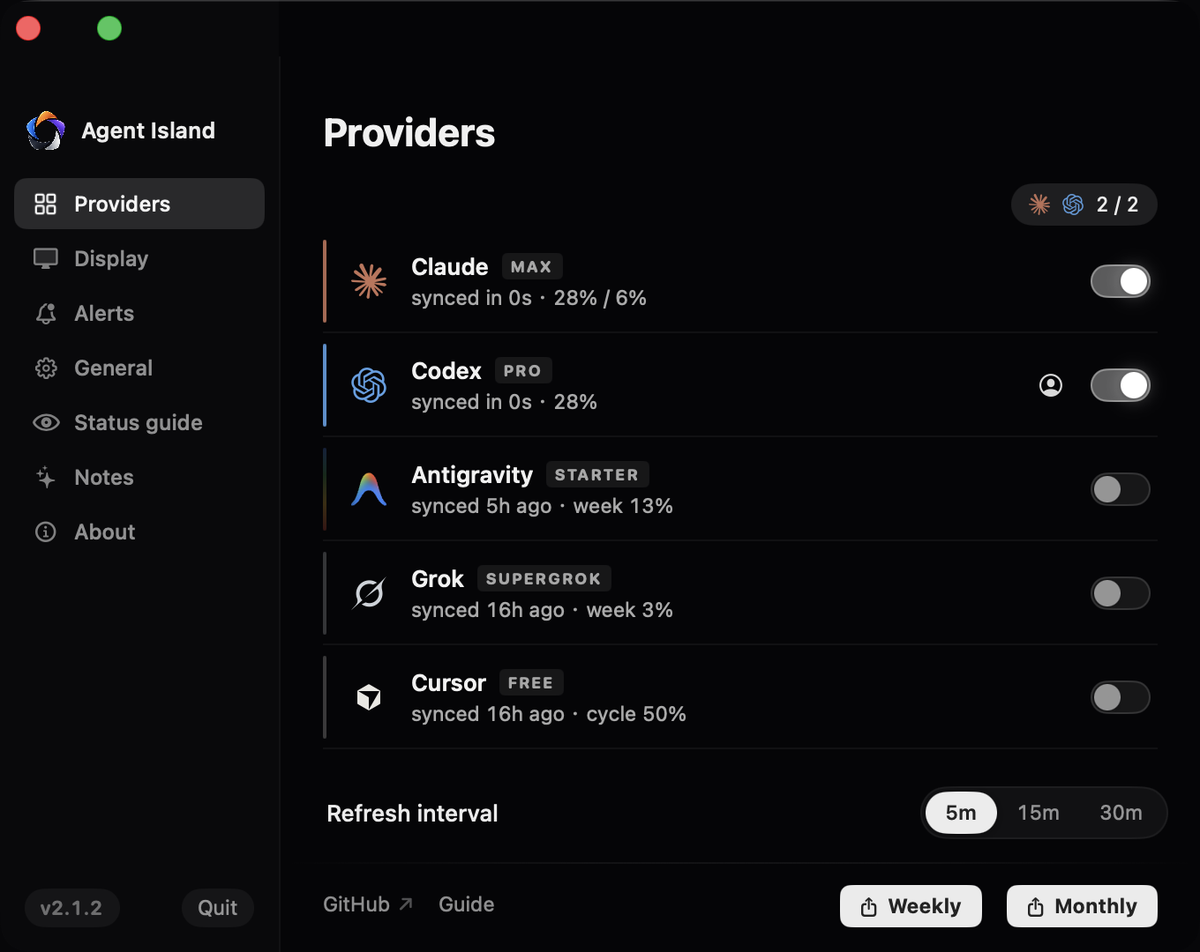
Step 4 · Read it on the island
Antigravity is metered in two buckets — Pro and Flash — each with its own percentage and reset time. Hover a bucket for the per-model breakdown. Session activity drives a live working / idle state.

Step 5 · Verify with one real run
Run /stats in an Antigravity session, then compare: the island's bucket percentages track the same counters without the terminal round-trip.
If it does not work
Only oauth-personal sign-ins are supported; API-key and Vertex setups are explicitly unsupported rather than shown as fake data.
Pro and Flash drain independently — a quiet Flash bucket while Pro works is normal, not a bug.
Google meters Antigravity per model family: Pro requests and Flash requests draw from separate daily buckets, each with its own reset time. When a bucket runs dry the CLI falls back or stops, usually mid-task. Three ways to check before that happens:
1. Inside the CLI: /stats
Type /stats in an Antigravity session to print the current session token count and the daily request totals the CLI has recorded. It is exact but only covers the machine and account you are on, and it costs you a terminal round-trip every time you check.
2. Your Google plan page
The Google AI plan page shows what your subscription includes. It is authoritative for entitlements but does not show live per-bucket consumption for the CLI's free tier.
FAQ
Does Antigravity have separate limits for Pro and Flash?
Yes. Pro and Flash requests draw from separate buckets with independent reset times, which is why a single percentage cannot describe your Antigravity quota.
Can Agent Island show Antigravity usage without an API key?
Yes. It reads the oauth-personal credentials Antigravity already stores locally after you sign in with Google. API-key and Vertex setups are explicitly unsupported rather than shown as fake data.
Does checking usage consume quota?
The /stats command does not consume model requests, and Agent Island polls Google's quota endpoint, not the model API.
Agent Island is open source (MIT). See the changelog, the comparison hub, or the product FAQ.